Sayfalar (23)Overview
- Overview
- Installation
- Getting started
- Quick Start window
- System overview
- Easy Weather Manager
- Time Module
- Celestial Module
- Cloud Module
- Volumetric clouds
- Cloud shadows
- Fog
- Detail Module
- Weather Effects Module
- Weather presets
- Events Module
- Lens flare occlusion
- Helper components
- Demo scene
- Scripting guide
- Troubleshooting
- FAQ
- Changelog
Overview
Son güncelleme: 6 Ekim 2026
Bu sayfa henüz Türkçeye çevrilmedi, İngilizcesi gösteriliyor.
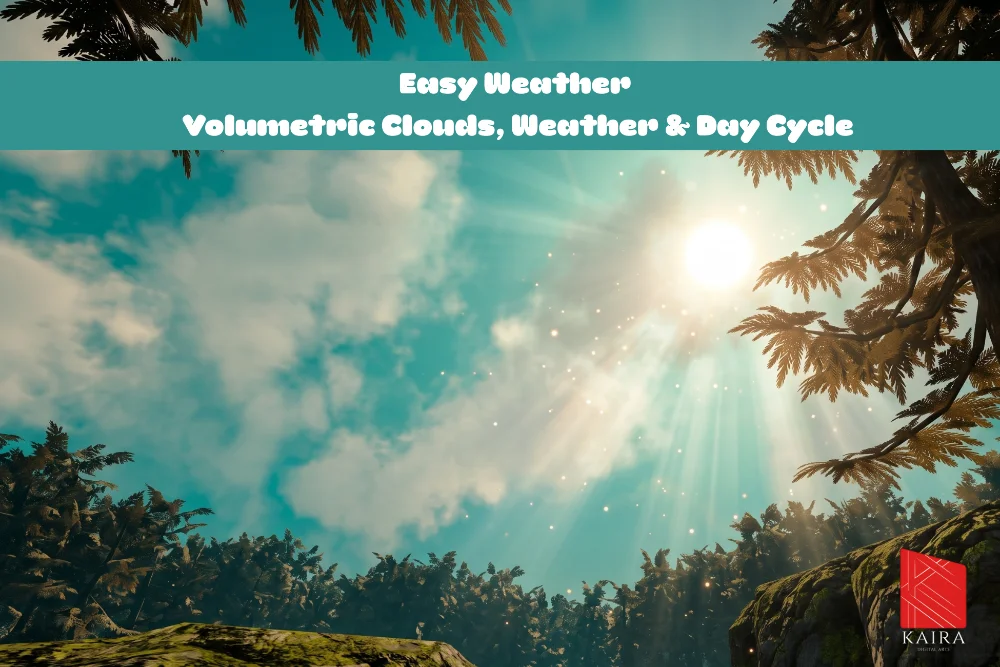
Easy Weather is a sky, time of day and weather system for Unity's Universal Render Pipeline (URP). It ships as one prefab. Drop it into a scene and you get a 24 hour day and night cycle, a sun and moon that light the scene, a gradient sky with stars, a galaxy band and an aurora, three cloud layers, cloud shadows on the ground, depth based fog, and weather presets that blend rain, snow and storms in and out.
Features
- Day and night cycle. A clock with adjustable speed and a day counter. The sun light rotates with the time and switches off at night, with an optional moon light that switches on in its place. See Time Module.
- Lighting and sky colors. Light color, intensity and shadows, the ambient (Trilight) colors, the sky's zenith and horizon colors, and the look of the sun and moon. Each value is either fixed or follows a 24 hour curve or gradient. See Celestial Module.
- Three cloud layers. Generated 3D clouds you can fly through, a 2D cloud layer painted on a sky dome, and a cheaper far layer for the horizon. See Cloud Module and Volumetric clouds.
- Cloud shadows. The 2D and 3D clouds darken the ground through a light cookie on the sun. See Cloud shadows.
- Fog. Fog painted on the sky dome plus screen space volumetric fog drawn by a URP renderer feature. Both share one color that follows the time of day. See Fog.
- Night sky. Stars, a galaxy band and an aurora. See Detail Module.
- Weather. Presets that spawn particle prefabs, play sounds and blend sky, light, ambient, cloud, fog, night sky and post processing values in and out. Weather can be picked automatically every day or started from your own code. See Weather Effects Module and Weather presets.
- Events. UnityEvents for every in-game second, minute and hour, for sunrise, sunset, day and night, for named times of day and for weather changes. See Events Module.
- Lens flare occlusion. A depth based pass that fades the sun's lens flare behind leaves, rocks and buildings, without colliders. See Lens flare occlusion.
- Quick Start window. Checks the project and the scene, fixes most problems with one click and adds the system to a scene. See Quick Start window.
The system also runs in Edit Mode. The Scene view shows the sky, clouds and lighting for the current time while you work, and scrubbing the clock in the inspector updates them immediately.
Requirements
| Requirement | Value |
|---|---|
| Unity | 6000.3 (Unity 6.3) or newer |
| Render pipeline | Universal Render Pipeline 17.3 or newer. The Built-in Render Pipeline and HDRP are not supported |
| Rendering path | Render Graph. URP's Compatibility Mode is not supported |
| Color space | Linear |
| URP asset | Depth Texture on. Opaque Texture on for the demo water. Light Cookies on for cloud shadows |
| Platforms | PC and console. Mobile is not supported in this version |
| Dependencies | None besides URP. The demo camera works with the Input System package or the legacy Input Manager |
The Quick Start window checks every one of these and fixes most of them for you.
Package contents
Everything is imported into Assets/Kaira Digital Arts/EasyWeather.
| Folder | Contents |
|---|---|
Content/Prefabs | EasyWeather (the complete system), Skydome, and the weather effect prefabs Rain, LightRain, Light Snow and Thunder |
Content/Scripts | The runtime components: manager, modules, renderer features and helpers |
Content/Shaders | KDA_Skybox, KDA_Skydome, KDA_VolumetricFog, StylizedFluffyCloud (3D clouds), KDA_CloudShadowMask, LensFlareDepthOcclusion |
Content/Materials | KDA_Skybox, KDA_Skydome, StylizedClouds, KDA_Thunder |
Content/Meshes | The sky dome mesh and three cloud meshes |
Content/Textures | Cloud and noise textures, the moon, the galaxy cubemap and the aurora textures |
Content/Audio | Rain, wind, snow wind and thunder sounds |
Content/Flare | A ready made Lens Flare (SRP) asset |
Editor | Custom inspectors and the Quick Start window |
Demo | The EasyWeatherDemo scene, three demo weather presets, the demo water shader, the demo camera controller and test HUD, URP settings for the demo and the scene art |
Documentation | The offline PDF manual |
Where to start
- Installation: import the package and prepare the project.
- Getting started: add the system to a scene and see a day go by.
- Demo scene: fly around a finished scene and switch weather with the number keys.
- System overview: how the prefab is put together.
- Scripting guide: drive time and weather from your own code.
If something does not work, see Troubleshooting and the FAQ.
Support
If something is not covered here, write to support@kairadigitalarts.com. Include your Unity version, your URP version and the rows the Quick Start window shows in red. The asset's store page is assetstore.unity.com/packages/slug/344706.
Bu sayfaya bağlantı veren sayfalar
Hâlâ takıldınız mı?
Unity sürümünüzü, render pipeline bilginizi ve sorunun ekran görüntüsünü gönderin.