
Sayfalar (23)Volumetric clouds
- Overview
- Installation
- Getting started
- Quick Start window
- System overview
- Easy Weather Manager
- Time Module
- Celestial Module
- Cloud Module
- Volumetric clouds
- Cloud shadows
- Fog
- Detail Module
- Weather Effects Module
- Weather presets
- Events Module
- Lens flare occlusion
- Helper components
- Demo scene
- Scripting guide
- Troubleshooting
- FAQ
- Changelog
Volumetric clouds
Son güncelleme: 6 Ekim 2026
Bu sayfa henüz Türkçeye çevrilmedi, İngilizcesi gösteriliyor.
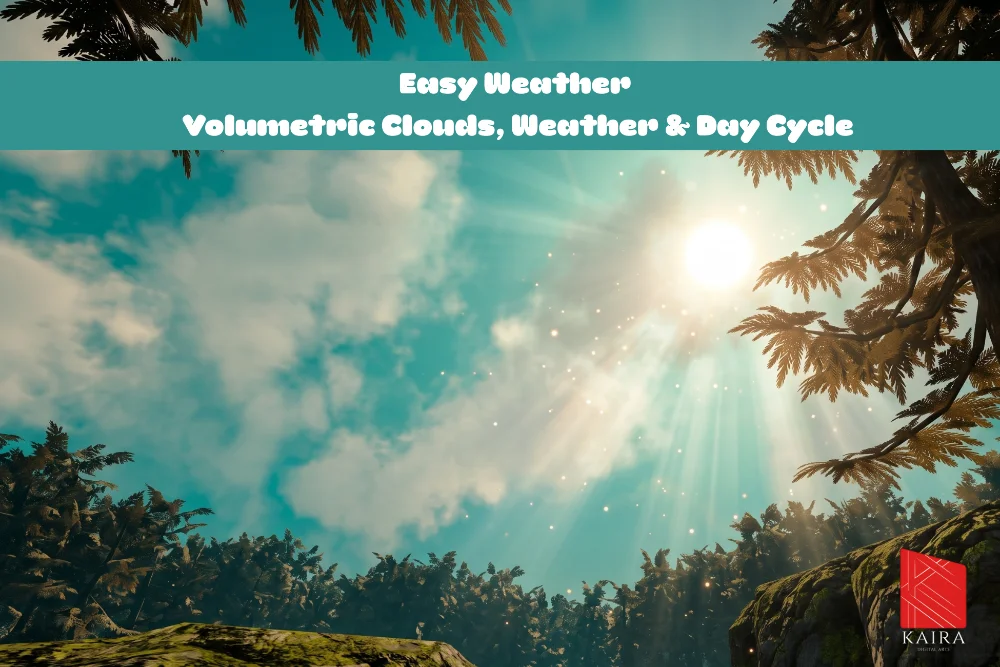
Generated 3D clouds. Each cloud is built from a few mesh pieces with the StylizedFluffyCloud shader. They stand in the world, so you can fly into them. Settings are in the 3D Clouds (Volumetric) section of the Cloud Module.
Generate the clouds
- Turn on Enable 3D Clouds (
enableVolumetrics). - Make sure the cloud mesh list is filled. Press Auto-Find Cloud Meshes if it is empty, otherwise every piece is a plain sphere.
- Choose the placement and the amount (below).
- Press Generate. Clear removes the clouds, Update Shader pushes material changes.
Generate the sky you want. Weather changes how the clouds look, never how many there are. If the sky has gaps, raise Cloud Count and press Generate again.
Placement
| Setting | Default | Description |
|---|---|---|
placement | Follow Player | Follow Player: an endless cloud field around the player. The clouds stand still in the world, and one that falls behind is moved to the far side, so there is always sky ahead. Scene Area: clouds are placed once over a fixed area and stay there |
followRadius | 3000 | Follow Player only. Radius of the field in meters. Keep it beyond what the camera can see; a bigger radius costs nothing because the cloud count stays the same |
followTarget | Follow Player only. What the field centers on. Empty uses the main camera | |
sceneAreaCenter, sceneAreaRadius | origin, 1500 | Scene Area only. Center (its Y is the ground level the altitude is measured from) and radius of the field. Fit To Terrain sizes it to your terrain, or to the scene's renderers when there is no terrain |
cloudAltitudeRange | 500 to 800 | Height band in meters. Each cloud gets a random height inside it |
Amount and shape
| Setting | Default | Description |
|---|---|---|
cloudCount | 30 | Number of clouds. Up to 60 in Follow Player mode and 400 in Scene Area mode |
seed | 0 | Random seed for the layout. 0 gives a different layout on every Generate |
cloudMeshes | Meshes for the pieces; each piece picks one at random. Empty means a Unity sphere. Use dense, smoothly shaded meshes | |
randomPieceRotation | on | Random rotation around Y so repeated meshes look different |
piecesPerCloud | 4 | Pieces per cloud, 1 to 40. This is the biggest cost of the 3D clouds, see below |
pieceSizeRatio | 0.6 to 0.9 | Piece width as a fraction of the cloud's width |
cloudSizeMin, cloudSizeMax | (500, 120, 500), (1000, 250, 1000) | Smallest and largest cloud in meters (width, height, depth). Each cloud picks a random size per axis |
Look
| Setting | Description |
|---|---|
volDensity | Opacity of the cloud body, 0.2 to 8. High is solid, low is soft and translucent. Can follow a 24 hour curve |
volCoreOpacity (Solid Core) | 0 keeps the noise shaped, see-through body. Higher makes the middle of every piece opaque while the rims stay soft |
volAutoSyncColor, volColor, volColorGradient | Cloud color: automatic from the sun and sky, a fixed color, or a gradient over the day |
The 3D cloud section also has sub groups for lighting, noise and edges (volShadowThreshold, volLightSoftness, volBumpStrength, volNoiseScale, volDetailNoiseScale, volDetailStrength, volErosion, volEdgeSoftness, volRimPower), most with an optional 24 hour curve.
Coverage and weather
Coverage changes two things on the 3D layer and never the number of clouds: nothing is spawned, hidden or replaced while the game runs.
| Setting | Default | Effect |
|---|---|---|
volSpreadMinCoverage (Min Coverage (Start Spread)) | 0.3 | Coverage where the clouds start to spread sideways |
volSpreadMaxCoverage (Max Coverage (Full)) | 1.2 | Coverage where the spread is widest |
volSpreadMultiplier (Spread Multiplier) | 1.5 | How much wider a cloud gets between the two. Height never changes |
volWeatherUses2DClouds (Weather Uses 2D Layer) | on | While weather pushes coverage above the level the clouds were generated at, the 2D layer is switched on to carry the overcast (even if you keep it off) and the 3D clouds thin down. Both return to your settings when the weather clears, and neither field is modified |
volStormDensity (Storm Density (3D)) | 0.2 | How thin the 3D clouds get under heavy weather, so they do not poke through the overcast as separate blobs |
volHideBelowDensity (Hide Below Opacity) | 0 | Optional. Below this opacity the 3D clouds are switched off instead of drawn faintly. 0 never hides them. Raise it only if a storm costs too many frames |
Moving coverage by hand only spreads the clouds. The handover to the 2D layer happens for weather presets only, so dressing a scene never changes the layers you set up.
Performance
The 3D clouds are transparent and write no depth, so every piece that covers a pixel shades it again. A few large pieces look the same as many small ones and cost a fraction as much. Keep piecesPerCloud low and pieceSizeRatio high, and raise the piece count only if a cloud looks too simple. Clouds fade out as they approach the camera's far plane.
Public API
| Member | Description |
|---|---|
bool enableVolumetrics | Turning it off removes the clouds. Turning it back on does not rebuild them: call InitializeVolumetrics() or press Generate |
void GenerateVolumetricClouds() | Builds the clouds |
void ClearVolumetricClouds() | Removes them |
void InitializeVolumetrics() | Adopts the existing cloud container or generates one |
void SyncVolumetricShader() | Push 3D cloud settings to the material |
bool FitSceneAreaToScene() | Sizes the Scene Area to the terrain, or to the scene |
float GetPlacementRadius() | Current placement radius |
int GeneratedCloudCount | Number of generated clouds |
bool IsVolumetricsActive | Whether the 3D clouds are generated and enabled, with coverage above zero |
bool WeatherUsing2DClouds | Whether weather currently forces the 2D layer on |
Bu sayfaya bağlantı veren sayfalar
Hâlâ takıldınız mı?
Unity sürümünüzü, render pipeline bilginizi ve sorunun ekran görüntüsünü gönderin.